Export products by lookup code
Paste a list of lookup codes into the new Lookup Codes filter, verify it, and export just those products.
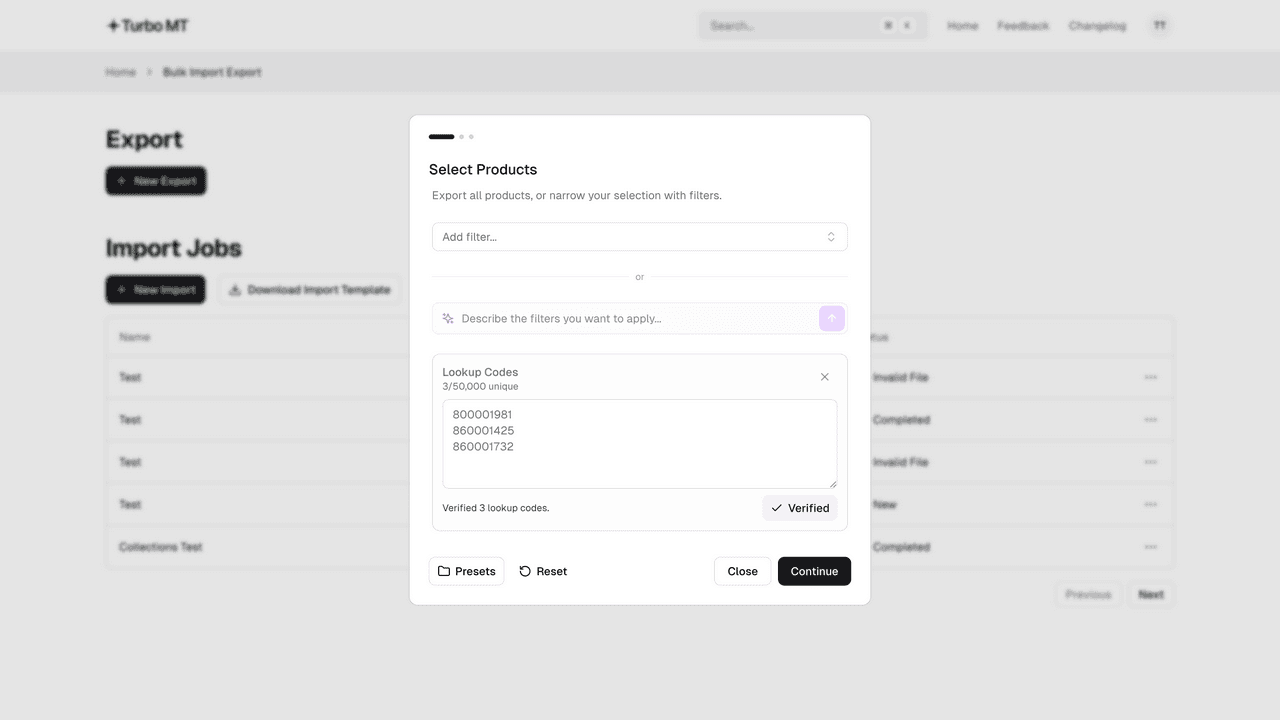
Paste your list into the Lookup Codes filter when setting up an export. It can come straight from a spreadsheet column or an email: codes separated by new lines, spaces, commas or semicolons are all picked up, and duplicates are removed.
Press Verify to check every code against Cloud MT. Any that can't be found are listed, and Remove invalid takes them out of the list. You can export up to 50,000 lookup codes at a time.
It's the quickest way to pull exactly the products on a supplier invoice or stock take, update them in Excel and import them back.
Recent updates
View all- Improved Quick Search
Open Quick Search from the header or with Cmd/Ctrl+K to jump straight to any app, page, product or job.
- Smarter column mapping
Collection columns and your ID or Lookup Code are mapped automatically, and a new search box and 'Needs mapping' filter make the rest quicker.
- Unlimited collections
Import and export now support unlimited collections per product. Exports generate the right number of Collection columns based on your data, and imports accept any number of Collection columns.
Update thousands of products in minutes
Bulk update your Cloud MT products using the Excel and CSV files you already have.
Start a 14-day free trial


2,500+ bulk imports completed