Export failed items
The red 'Failed Items' table in exports now has an 'Export Failed Items' button. This lets you quickly export only the failed items, fix them in the file, and re-import them.
Recent updates
View all- Improved Quick Search
Open Quick Search from the header or with Cmd/Ctrl+K to jump straight to any app, page, product or job.
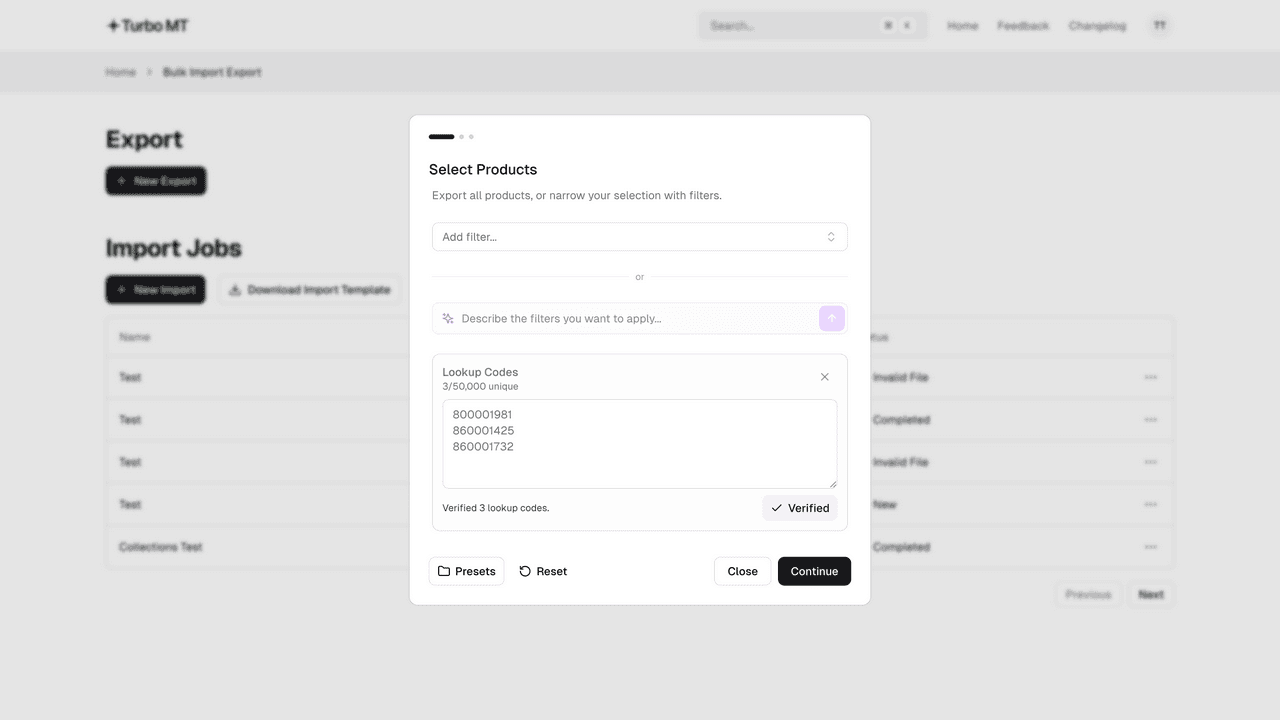 Export products by lookup code
Paste a list of lookup codes into the new Lookup Codes filter, verify it, and export just those products.
- Smarter column mapping
Collection columns and your ID or Lookup Code are mapped automatically, and a new search box and 'Needs mapping' filter make the rest quicker.
Update thousands of products in minutes
Bulk update your Cloud MT products using the Excel and CSV files you already have.
Start a 14-day free trial


2,500+ bulk imports completed